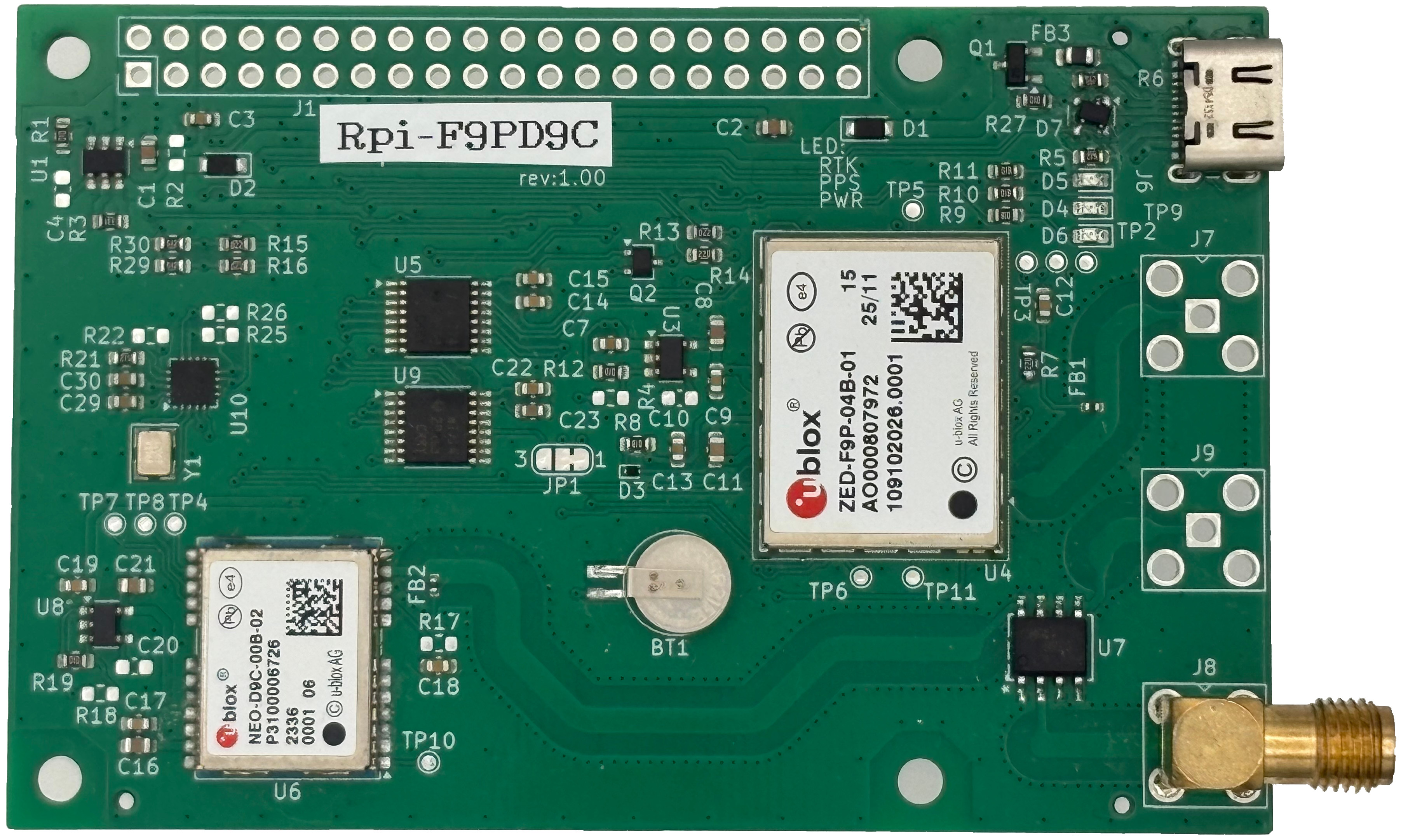
| initGnss.sh | UART設定, RTLIB の install,ubxtool 921600bps対応,etc |
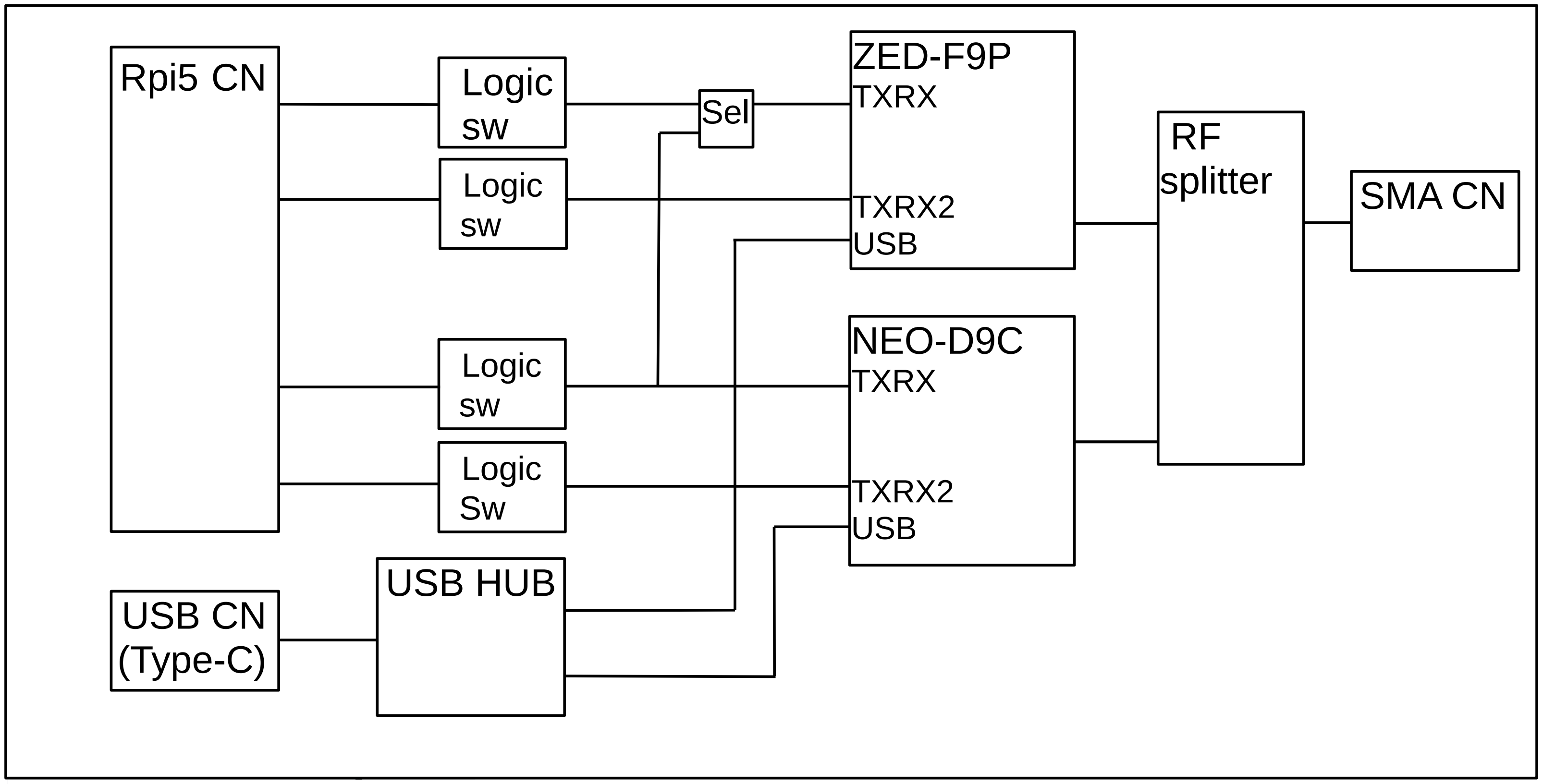
| checkSerialAll.sh | UARTs, PPS, および PWREN の接続確認 (Raspberry Pi5 の USB と Rpi-F9PD9C の USB を接続してください) 以下の install が必要です sudo apt update sudo apt install gpsd gpsd-clients python3-gps gpiod pps-tools |
| setClasAssistance.sh | 基板上の NEO-D9C の CLAS 補助信号を ZED-F9P に流しこみ RTK をする |
| setNtripAssistanceFromCQ.sh | CQ 出版社の基準局から NTRIP で RTCM3 を受信し RTK で高精度位置測位する |